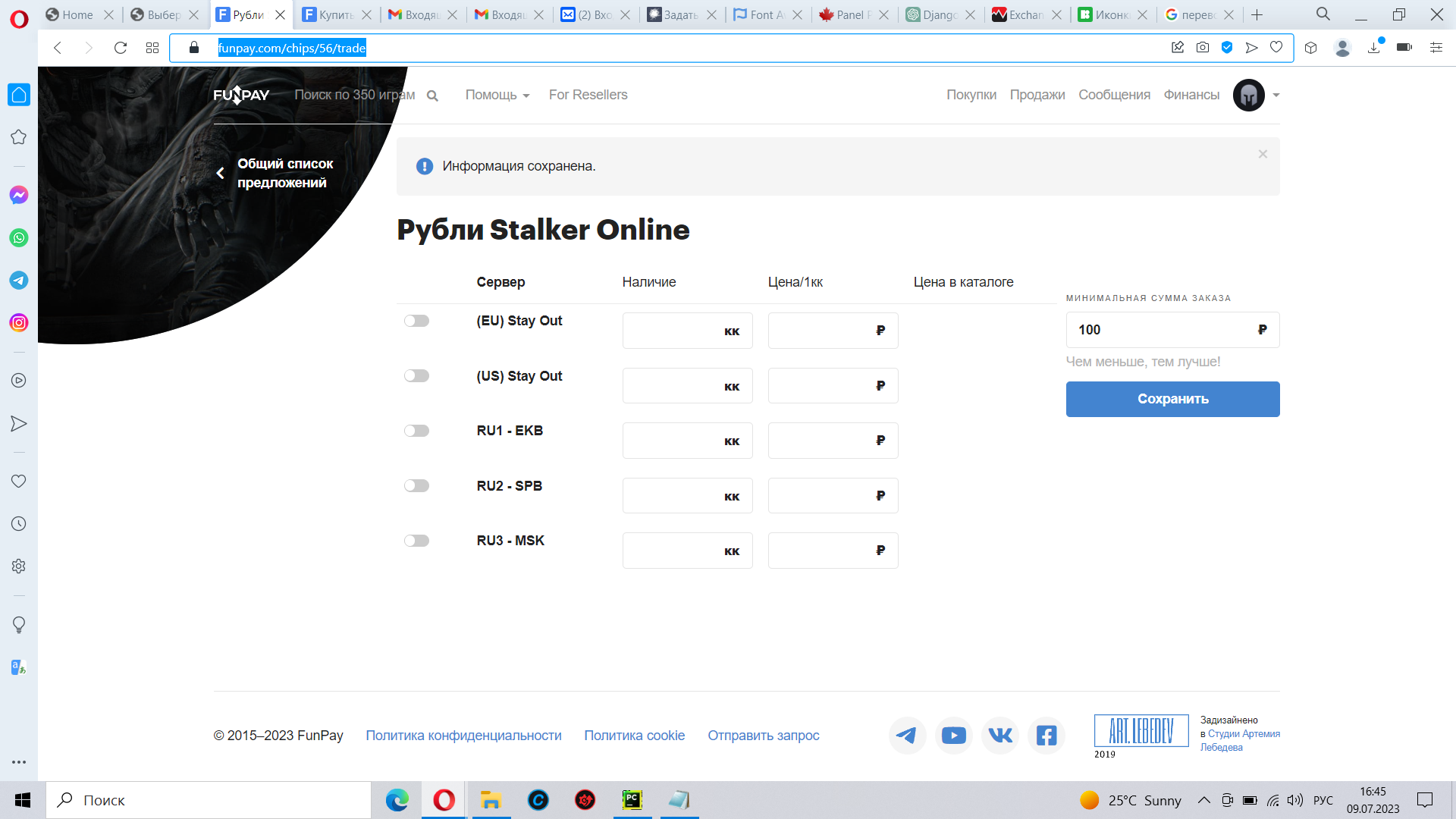
Для создания набора чекбоксов с таким форматированием, вы можете использовать виджет MultipleChoiceWidget и CSS для стилизации.

Вот пример кода:

forms.py:
```python
from django import forms

class ServerForm(forms.Form):
    SERVER_CHOICES = (
        ('server1', 'Server 1'),
        ('server2', 'Server 2'),
        ('server3', 'Server 3'),
        # добавьте другие серверы здесь
    )

    servers = forms.MultipleChoiceField(
        choices=SERVER_CHOICES,
        widget=forms.CheckboxSelectMultiple(attrs={'class': 'custom-checkbox'})
    )
```

template.html:
```html
{% load static %}

<form method="post">
  {% csrf_token %}

  {% for form in formset %}
    {{ form.servers.label }}
    <div class="checkbox-container">
    {% for choice in form.servers %}
      <div class="checkbox-item">
        {{ choice.tag }}
        <label for="{{ choice.id_for_label }}">{{ choice.choice_label }}</label>
      </div>
    {% endfor %}
    </div>
  {% endfor %}

  <input type="submit" value="Submit">
</form>

<link rel="stylesheet" type="text/css" href="{% static 'style.css' %}">
```

style.css:
```css
.custom-checkbox {
  display: none;
}

.checkbox-container {
  display: flex;
  flex-wrap: wrap;
  gap: 20px;
}

.checkbox-item {
  display: flex;
  align-items: center;
}

.checkbox-item input[type="checkbox"] + label {
  padding-left: 20px;
  position: relative;
}

.checkbox-item input[type="checkbox"] + label:before {
  content: "";
  position: absolute;
  left: 0;
  top: 2px;
  width: 16px;
  height: 16px;
  border: 1px solid #ccc;
  background-color: white;
}

.checkbox-item input[type="checkbox"]:checked + label:before {
  background-color: #007bff;
}

.checkbox-item input[type="checkbox"]:checked + label:after {
  content: '';
  position: absolute;
  left: 5px;
  top: 9px;
  width: 4px;
  height: 8px;
  border: solid white;
  border-width: 0 2px 2px 0;
  transform: rotate(45deg);
}
```

Убедитесь, что установили правильные пути к статическим файлам и добавили ссылку на ваш файл стилей (style.css) в вашем шаблоне (template.html).

Также, не забудьте импортировать ServerForm в вашем представлении и передать его в контекст.